Patient registration and triage
Know every patient from the first visit
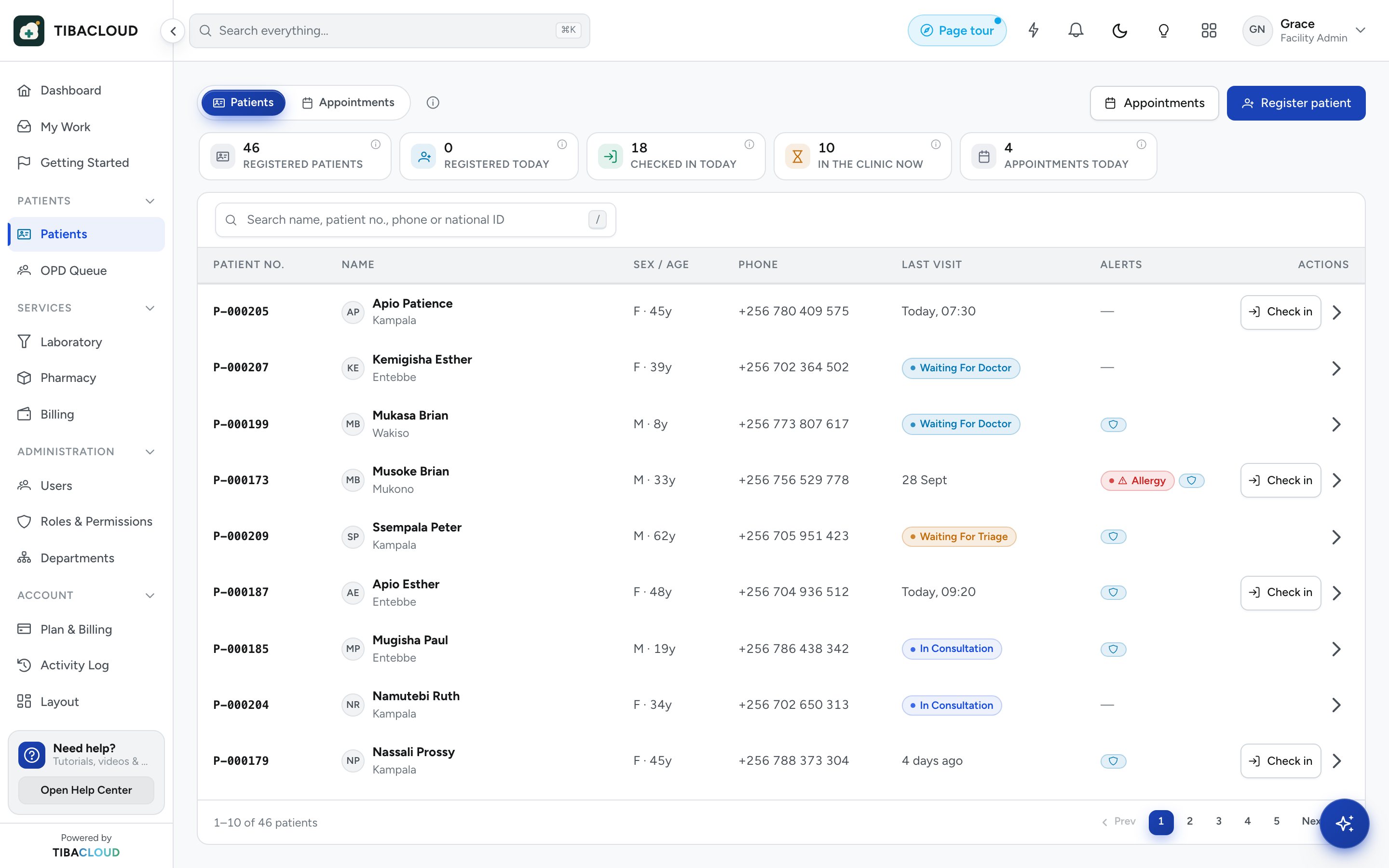
The front desk registers a new patient in under a minute. Each patient gets one record number for life, duplicates are caught before they are saved, and the triage queue puts the sickest patient first.
Clinic plan and up (not the Pharmacy plan). SMS reminders on Medical Centre and up; queue display is an add-on.
Why facilities use registration and triage
One ID per patient
A record number is issued automatically, so every visit, result and bill lands in the same record.
No duplicate files
Name, date of birth and phone are checked as you type, and a possible match is shown before saving.
Sickest first
Triage marks each patient emergency, priority or routine, and the queue sorts itself by urgency.
Shorter waits
Staff see who is waiting, for what and for how long, so no one is forgotten on a bench.
Front desk
Register in under a minute
Capture the details you need and nothing more. Search finds returning patients by name, phone or record number, so the front desk opens the right file instead of starting a new one.
- Record number issued automatically
- Possible duplicates shown before you save
- Payer chosen at the desk: cash, insurance or scheme
- Phone number kept for mobile money and reminders

Triage
A queue that sorts itself by urgency
Triage records the complaint and first observations, then sets a priority. An emergency goes straight to the top, and every room sees the same live queue.
- Emergency, priority and routine levels
- Waiting time shown for every patient
- Vitals taken at triage carry into the consultation
Appointments
Booked visits and reminders
Book follow-ups and reviews from the record. On Medical Centre plans and up, SMS reminders go out before the appointment, and a waiting-room screen can call patients by number.
- Appointments booked from the patient record
- SMS reminders on Medical Centre plans and up
- Patient queue display available as an add-on

Registration and triage
Everything the front desk needs
Master patient index
One unique ID per patient across every department and visit.
Duplicate detection
Possible matches flagged on name, date of birth and phone.
Triage priorities
Emergency, priority and routine, with the reason recorded.
Live patient queue
Who is waiting, for which service and for how long.
Appointments
Book reviews and follow-ups from the patient record.
SMS reminders
Appointment reminders and notices, on Medical Centre plans and up.
Queue display
A waiting-room screen that calls patients by number (add-on).
Payer at registration
Cash, insurance or scheme set once and used at billing.
See registration and triage running on your own workflow
Clinic plan and up (not the Pharmacy plan). SMS reminders on Medical Centre and up; queue display is an add-on.
Registration and triage: questions
What is patient registration software?
It is the front-desk part of a hospital management system. It creates one record per patient, issues a record number and keeps contact and payer details. Every later visit, test and bill is attached to that record.
How does TibaCloud stop duplicate patient records?
As the front desk types, TibaCloud checks the name, date of birth and phone number against existing patients. A possible match is shown with a link to the existing record before anything is saved.
How long does it take to register a patient?
A new patient can be registered in under a minute. Returning patients are found by name, phone or record number, so there is nothing to retype.
Can triage put emergencies ahead of the queue?
Yes. Triage sets each patient as emergency, priority or routine, and the queue sorts by urgency first, then by waiting time. Every room sees the same live queue.
Does TibaCloud send appointment reminders by SMS?
Yes, on Medical Centre plans and up. Reminders are sent to the phone number on the patient record. SMS bundles can also be added to any plan.