Laboratory information system
From order to result without a paper slip
Orders arrive from the doctor with a barcode. Results import from the analyser, abnormal values are flagged against reference ranges, and the doctor is notified when you release.
Medical Centre plan and up.
Why facilities use laboratory
Right sample, right patient
Every sample carries a barcode linked to the order and the patient record.
Less retyping
Results import directly from connected analysers instead of being copied by hand.
Abnormal values stand out
Results are compared with reference ranges and flagged high or low.
Every test billed
Each order posts its own charge, so no test is run and forgotten at the till.
Ordering
Orders come straight from the doctor
The doctor orders tests from the consultation screen. The lab sees the order at once, with the patient, the test and who asked for it.
- No handwritten request forms
- Sample barcode linked to the order
- Order and patient linked from the start
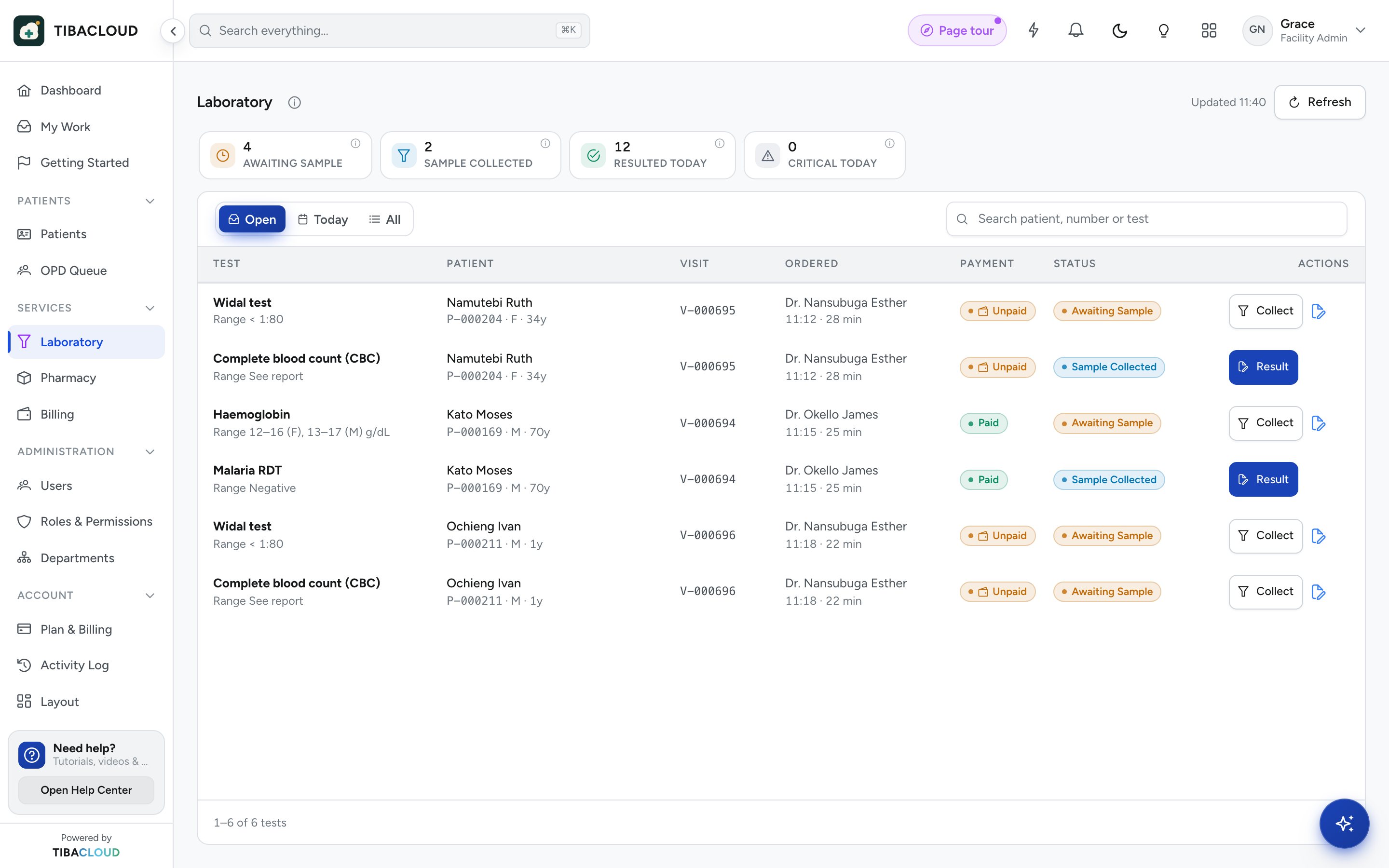
Worklist and results
One worklist for the whole bench
Samples move from received to running to review. Results from connected analysers import against the barcode, and values outside the reference range are flagged.
- Status for every sample
- Direct result import from analysers
- Reference ranges with high and low flags
- Tests coded in LOINC
Validation and release
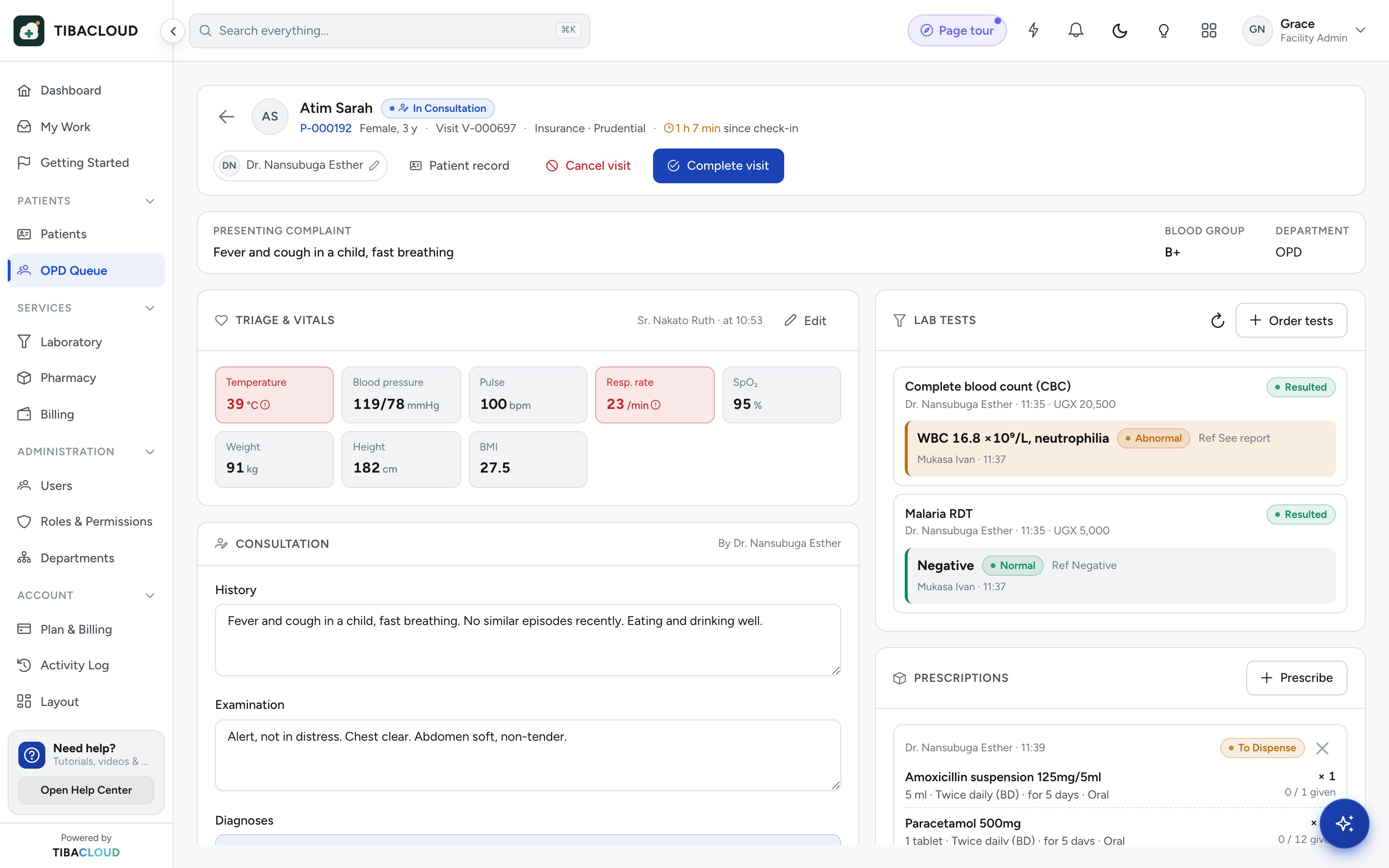
Check, release, and the doctor knows
A technologist reviews and validates each result before release. Released results go to the patient record and the doctor is notified, and the charge is already on the bill.
- Validation before release
- Doctor notified on release
- Audit trail of who entered and released each result
Laboratory
Everything the lab needs
Electronic orders
Tests ordered from the consultation, visible in the lab at once.
Sample barcodes
Each sample labelled and linked to its order and patient.
Worklists
Received, running and awaiting review, for every sample.
Analyser import
Results imported directly from connected analysers.
Reference ranges and flags
Values compared with reference ranges and flagged high or low.
Validation and release
Results checked before release; the doctor is notified.
LOINC coding
Tests coded to the LOINC standard for sharing and reporting.
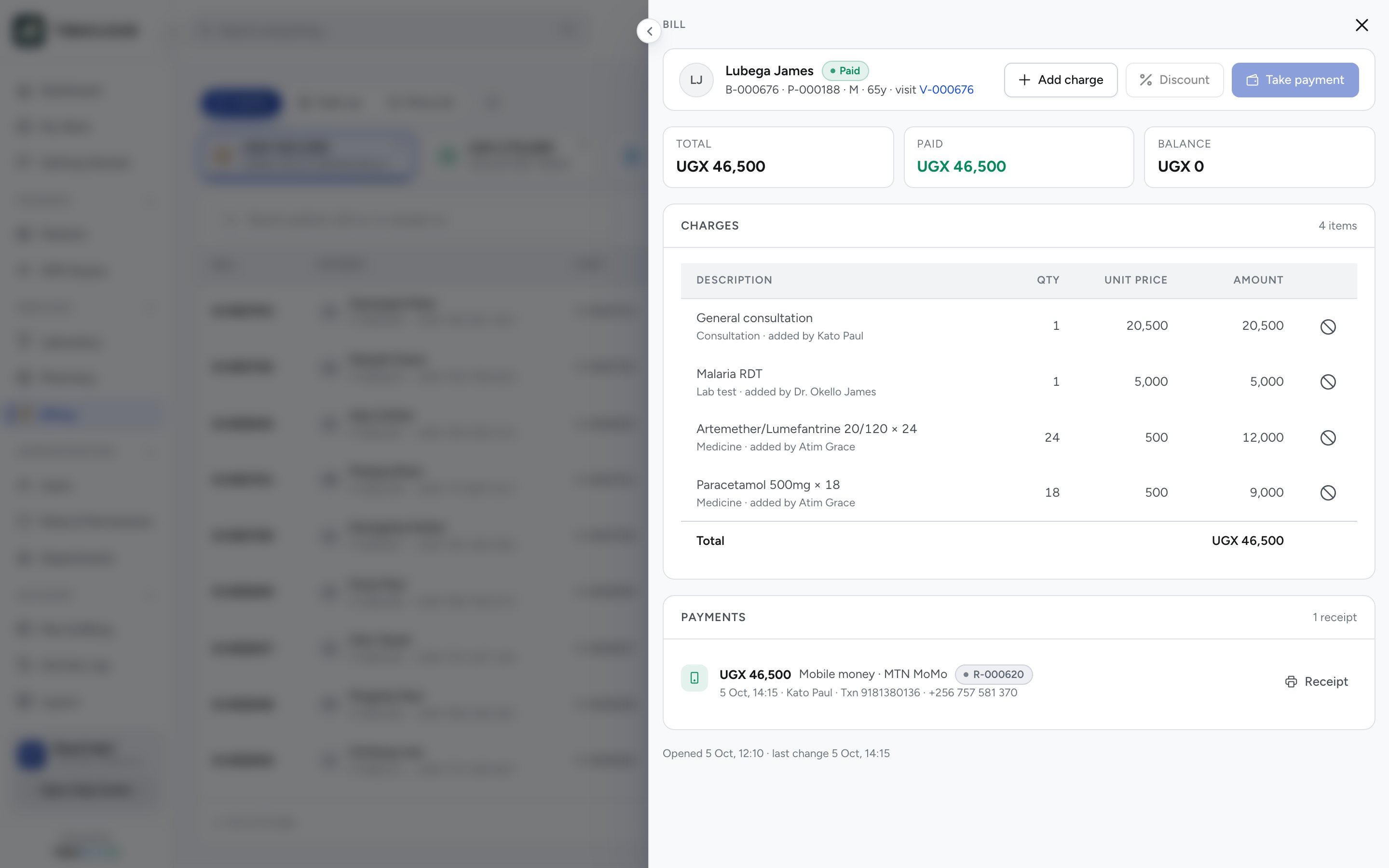
Charges posted
Each order posts its own charge to the patient bill.
Laboratory: questions
What is a laboratory information system?
A laboratory information system (LIS) manages the lab’s work from order to result. It tracks each sample, records or imports results, flags abnormal values and sends validated results back to the patient record.
Can TibaCloud import results from lab analysers?
Yes. Results can be imported directly from connected analysers against the sample barcode, so they are not copied by hand. Which analysers to connect is agreed during the site visit.
Does the lab module flag abnormal results?
Yes. Each result is compared with its reference range and marked high or low. The flags show in the lab worklist and in the patient record the doctor sees.
Do results go to the doctor automatically?
Yes. Once a technologist validates and releases a result, it is saved to the patient record and the ordering doctor is notified.
Which TibaCloud plans include the laboratory?
The laboratory module is included in the Medical Centre, Hospital and Enterprise plans. It is not part of the Clinic or Pharmacy plans.