Outpatient consultation and EMR
The whole patient on one screen
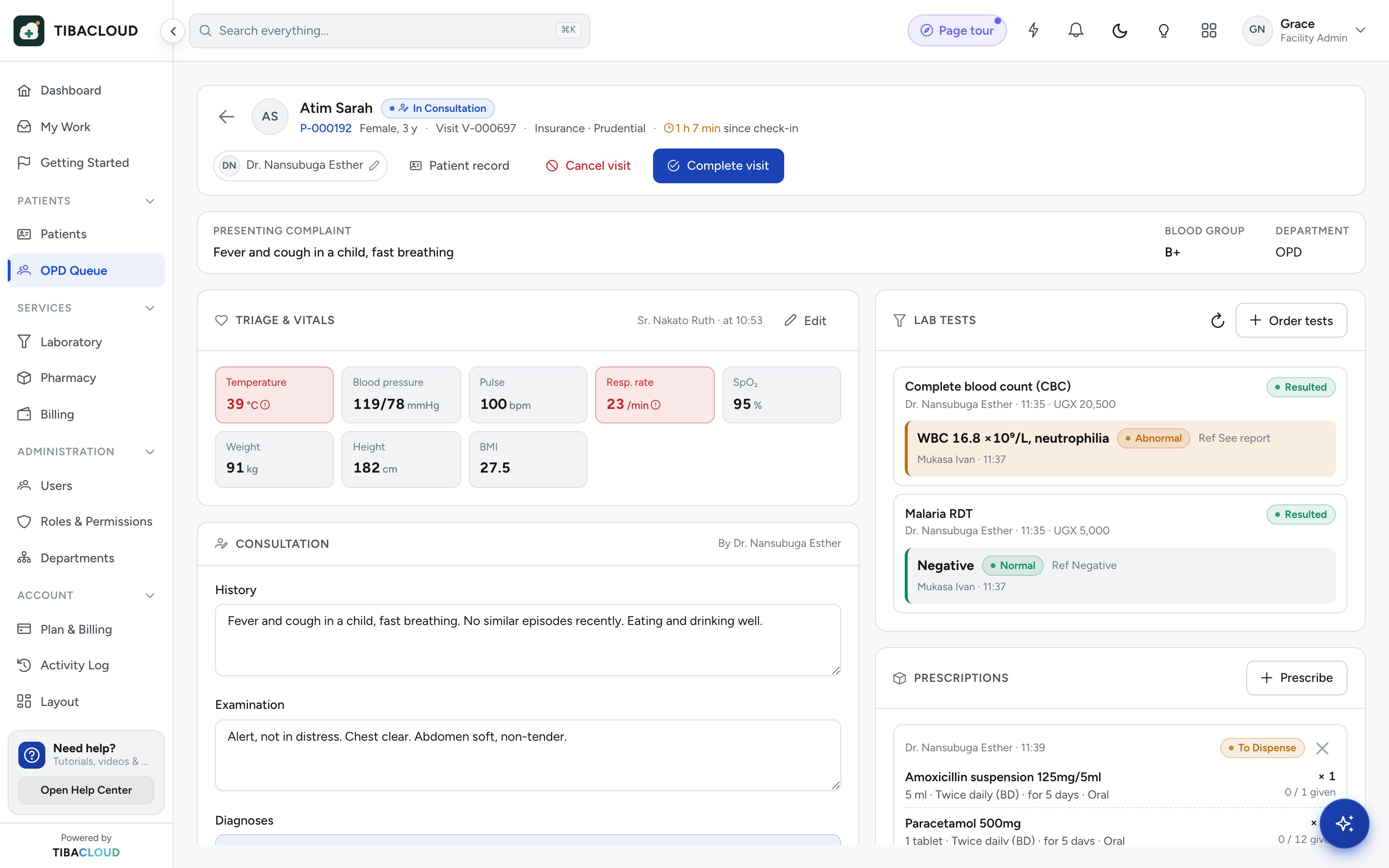
Vitals from triage, history, ICD-11 diagnoses and orders sit together. Prescriptions are checked against allergies and weight before they leave the room, and lab and pharmacy receive them straight away.
Clinic plan and up (not the Pharmacy plan). AI scribe and specialty templates are add-ons, included in Enterprise.
Why facilities use consultation and emr
Vitals already there
Readings taken at triage appear in the consultation, with abnormal values flagged.
Safer prescribing
Each prescription is checked against recorded allergies and the patient’s weight.
Orders go straight out
Lab tests and prescriptions reach the lab and pharmacy as soon as you sign.
Full history to hand
Past visits, results, diagnoses and medicines in one patient timeline.
Clinical notes
Write the note, not the paperwork
Presenting complaint, examination and diagnosis follow the order of a real consultation. Diagnoses are coded in ICD-11 as you pick them, so national reports need no extra work.
- Vitals carried in from triage
- Allergies and problem list always visible
- ICD-11 diagnosis search
- Specialty templates and AI scribe as add-ons

Orders
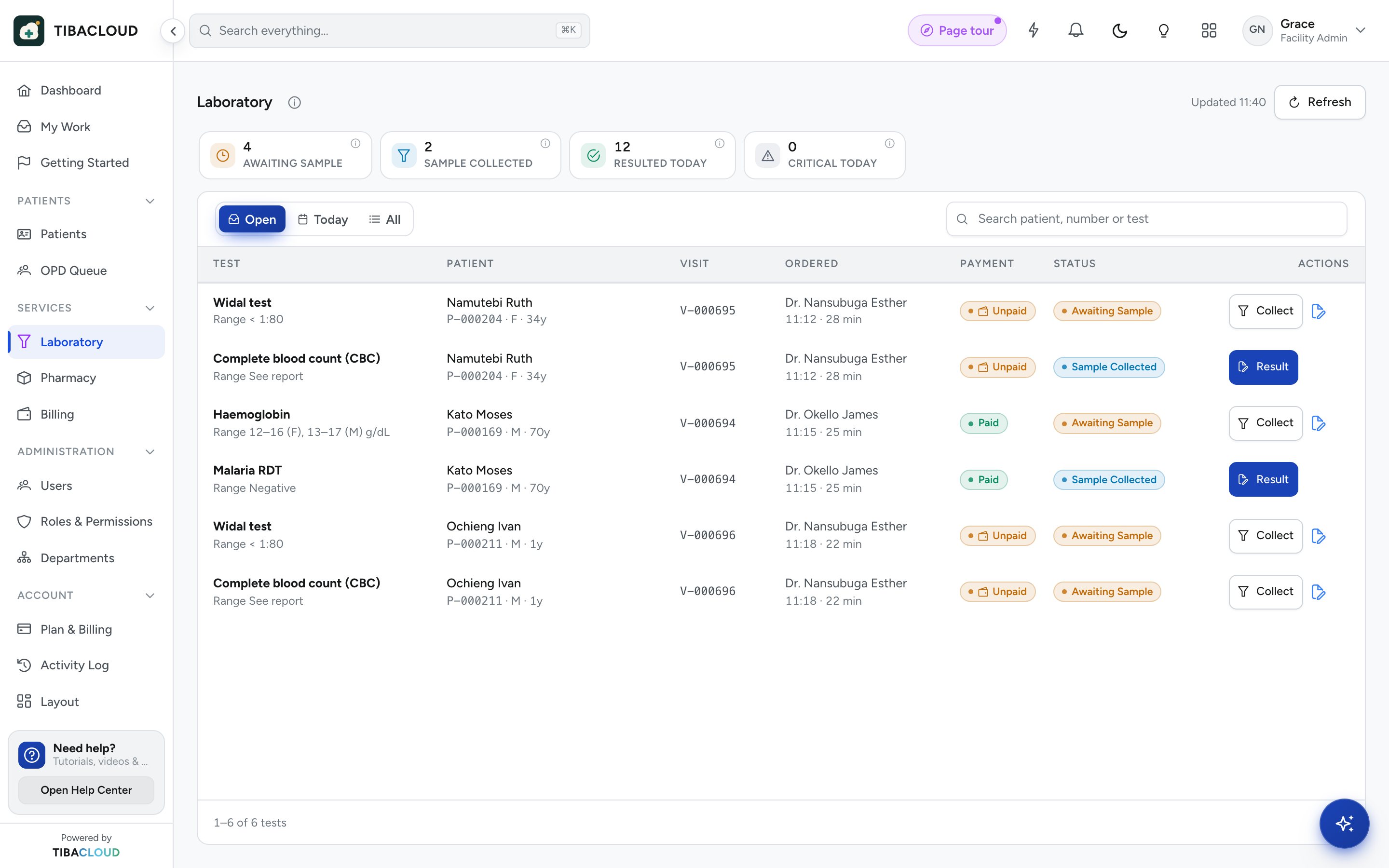
Order a test and see the result in the record
Lab orders leave the consulting room with a barcode. When the lab releases the result, the doctor is notified and it appears in the patient timeline.
- Order from the consultation screen
- Abnormal results flagged
- Results saved to the patient timeline
Prescribing
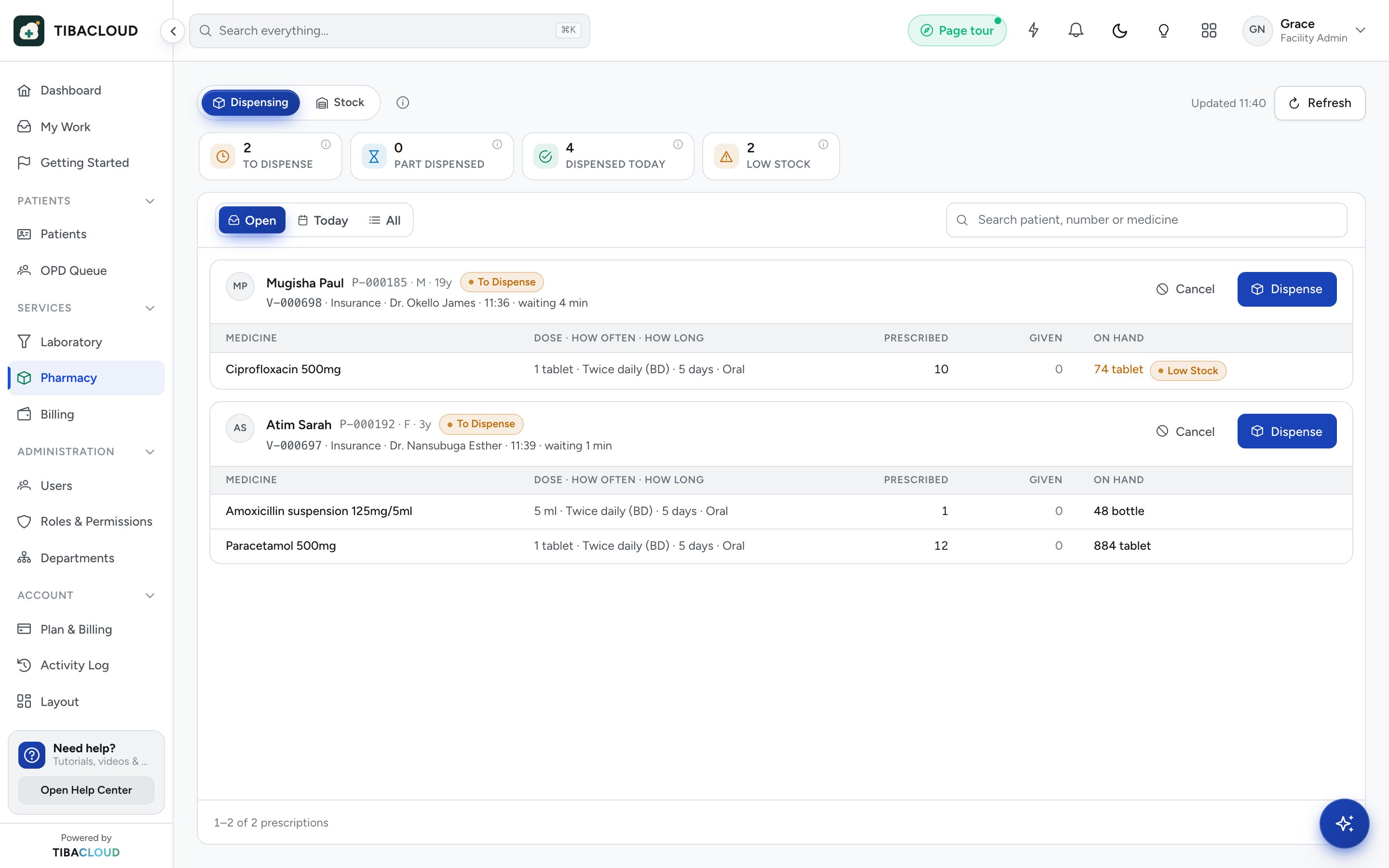
The prescription is waiting at the pharmacy
Prescribe with dose, frequency and duration. The pharmacy sees it before the patient arrives, and every item posts its own charge to the bill.
- Allergy and weight checks before signing
- Sent to the pharmacy on signing
- Charges posted to the bill automatically
Consultation and EMR
Everything the consulting room needs
Vitals
Temperature, pulse, blood pressure, SpO₂, weight and more, with flags.
Consultation notes
Complaint, history, examination and plan in a structured note.
ICD-11 diagnoses
Search and code diagnoses as you work; reports read the codes.
Allergies and problem list
Shown on every screen of the patient record.
E-prescribing
Checked against allergies and weight, sent to the pharmacy.
Lab orders
Ordered from the consultation with results returned to the record.
Patient timeline
Every visit, result, diagnosis and medicine in date order.
AI clinical scribe
Draft notes for the doctor to review and sign, with consent (add-on).
Specialty templates
Dental, eye clinic, physiotherapy and custom templates (add-on).
See consultation and emr running on your own workflow
Clinic plan and up (not the Pharmacy plan). AI scribe and specialty templates are add-ons, included in Enterprise.
Consultation and EMR: questions
What is an electronic medical record (EMR)?
An EMR is the digital version of the patient file. It holds consultation notes, vitals, diagnoses, allergies, results and prescriptions, and every clinician with access sees the same up-to-date record.
Does TibaCloud use ICD-11 for diagnoses?
Yes. Diagnoses are searched and coded in ICD-11 during the consultation. Those codes feed the disease counts in national reports, so records staff do not tally them by hand.
Does the system check prescriptions for allergies?
Yes. Each prescription is checked against the allergies recorded for the patient and against their weight before it is signed. The pharmacist sees the same allergy alert when dispensing.
Can doctors see lab results inside the patient record?
Yes. Results released by the lab appear in the patient timeline with abnormal values flagged, and the ordering doctor is notified. The laboratory module is on Medical Centre plans and up.
Is there an AI scribe for clinical notes?
Yes, as an add-on (included in Enterprise). With the patient’s consent it drafts a note from the consultation, and the doctor reviews, edits and signs it. Nothing is saved without the doctor’s signature.